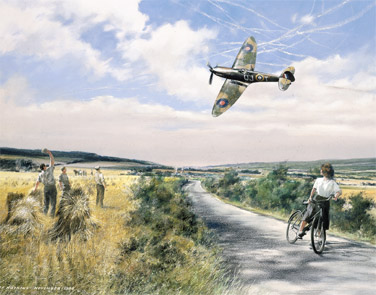
Desktop Wallpaper ::

Want to have a Geoff Nutkins painting as the desktop image on your computer? Well you can, and it's completely free! We change the images regularly, so don't forget to keep checking back.

Choose an image from those on the right, then select your screen resolution. There are two ways to download and install the image on your desktop (Windows 98/XP):


1. Click your chosen link. A new window will open with your chosen image. When the image is completely downloaded, place your cursor over it and click the right mouse-button. From the menu select "Set as Background" (or "Set as Wallpaper").

Or:

2. Right-click on your chosen link and select "Save target as...". Save the image onto your computer, then go to your Desktop and right-click. From the menu select 'Properties', then 'Background'. Locate your downloaded image and click OK.


It's as simple as that.

(Image sizes: 190k-270k)


For more information about the images:
Top image
Middle image
Bottom image

 
Please Note: All wallpaper images are the copyright of Geoff Nutkins. You may use them for personal purposes, but you are not permitted to distribute them, post them on other websites, or use them for commercial purposes.
 

Privacy  -  Postage  -  Contact  -  Terms  -  Copyright  -  Sitemap
Avi-Art - Aviation Art by Geoff Nutkins - Paintings, sketches, prints